Sync Garmin steps to Apple Health: what arrives and what does not
General information · not independently medically reviewed. Review standards.
Garmin Connect can copy part of your Garmin data into Apple Health on an iPhone: steps are on Garmin's list, along with heart rate, sleep, workouts and body measurements. Heart rate variability (HRV) is the notable gap. Garmin's published list, as summarized by third parties, does not name it, so any app that reads HRV from Apple Health will usually find none from a Garmin watch. Garmin's own page is the authority, and your phone shows what actually arrived.
This guide covers the setup, what to check afterwards, and what a missing HRV value does to an app that scores recovery from Apple Health. The last section shows the arithmetic for one such app.
How do I connect Garmin to Apple Health?
The link is made in Garmin Connect, not in the Health app.
- Sync your watch to the Garmin Connect app on the iPhone.
- In Garmin Connect settings, find the Apple Health connection (menu names change between app versions) and turn it on.
- In the iOS permission screen, allow the data types you want, for example Steps and Heart Rate. You can change them later in Health.
- Later, open a data type in Health and use Data Sources & Access to see whether Garmin Connect writes it.
The sync is one way. A Garmin staff reply on Garmin's forum says you can share Garmin Connect data with Apple Health and that Connect does not pull from Apple Health. Do not expect Apple Watch or iPhone data to appear in Garmin Connect.
What data types arrive in Apple Health?
Garmin maintains the authoritative list in its support article "What Garmin Connect Information Can Be Shared With Apple Health?". Third-party summaries of that list name active and resting energy, steps, walking and running distance, flights climbed, workouts, heart rate, sleep analysis, weight, body fat percentage, body mass index and water. Garmin also notes that what is shared is limited by your settings and device support.
Two details matter for apps that read the data:
- Sleep stages: Garmin Connect shared only sleep duration until version 4.71 (reported in September 2023). Since then, sleep stages are shared too, according to that report. Older app versions or devices may still send duration only.
- Steps: Steps from Garmin and from the iPhone can overlap. Health shows one source per data type.
Why do my Garmin steps not show up, or show twice?
Apple Health ranks sources. By default it prioritizes data you enter manually, then data from your iPhone, iPad and Apple Watch, then data from apps and Bluetooth devices. A new source is added above the others, and the top source wins when several contribute the same data type.
To change it, open Health, tap Browse, choose Steps, scroll to Data Sources & Access, tap Edit and drag Garmin Connect above the iPhone. The same screen lists every source for that data type, which also answers whether Garmin Connect writes it at all.
Does Garmin send HRV to Apple Health?
Based on Garmin's list as summarized above, no. Apple Health stores HRV as SDNN (the HealthKit type is heartRateVariabilitySDNN), and Apple Watch is the usual writer. You can check your own phone: open Health, Browse, Heart, Heart Rate Variability, then Data Sources & Access. If Garmin Connect is not listed, neither it nor any app reading Apple Health can see Garmin's HRV values.
This is about the Apple Health route only. It says nothing about what Garmin's own app shows.
What does a missing HRV value mean for apps that read Apple Health?
A recovery score from Apple Health data usually combines HRV, resting heart rate and sleep. With HRV absent, an app has three choices: show nothing, guess, or recompute from what remains. Each app chooses differently, and the app should say which it did. For the general model, see recovery score explained. For how overnight HRV is written by Apple Watch, see Apple Watch HRV.
How Svanu scores recovery when Apple Health has no HRV
Svanu is still prelaunch. What follows describes the current development build, read from its Swift recovery engine and its Kotlin twin (checked at repository revision a0ecf700), not a validation study.
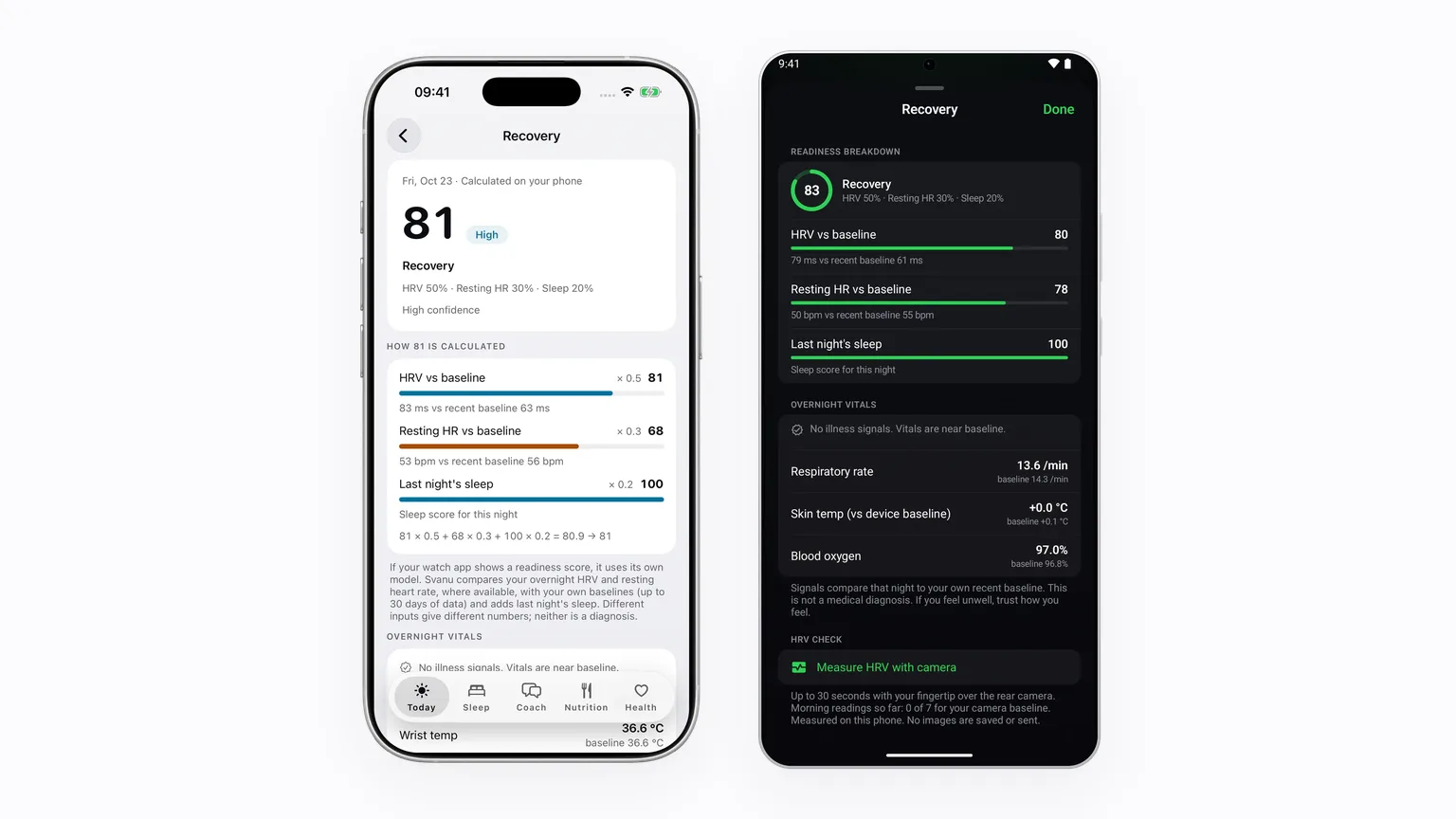
With HRV, resting heart rate and sleep all present, the weights are HRV 50%, resting heart rate 30% and sleep 20%. When HRV is missing for the day, the engine does not fill it in. It reweights the two remaining inputs proportionally: resting heart rate 60% and sleep 40%. The scale stays 0 to 100.
The resting-heart-rate part compares today's value with your own baseline. The ratio is limited to the range 0.85 to 1.15, and the component is (1.15 minus ratio) divided by 0.3, so 15% below baseline gives 100 and 15% above gives 0. Sleep enters as the sleep score for the night. Short sleep also caps the total at 40 under 4 hours and at 60 under 5 hours. Resting heart rate is taken from Apple Health when present. If not, a value derived from heart-rate samples can be used, against a baseline from the same method.
Illustrative example (invented numbers, not a user result). Resting heart rate today 54 bpm against a baseline of 56 bpm. Last night's sleep score 80.
- Ratio: 54 / 56 = 0.9643. Component: (1.15 minus 0.9643) / 0.3 = 0.619.
- No HRV: 0.6 x 0.619 + 0.4 x 0.80 = 0.371 + 0.320 = 0.691, shown as 69.
- Same day with HRV exactly at its baseline (component 0.5): 0.5 x 0.5 + 0.3 x 0.619 + 0.2 x 0.80 = 0.250 + 0.186 + 0.160 = 0.596, shown as 60.
The point is not that one number is right. Without HRV the score leans on resting heart rate and sleep, so a day with a normal HRV and a day with no HRV can differ by several points. That is why the app labels the score.
What you see: the recovery breakdown lists only the components used, the footnote reads "Estimated from resting HR and sleep · no HRV", and the confidence chip reads "Medium confidence: 2 of 3 inputs". If the data is also stale or sleep is missing, confidence drops to low. With no heart data at all, the estimate rests on sleep and a daily check-in rating.
Can the camera fill the HRV slot?
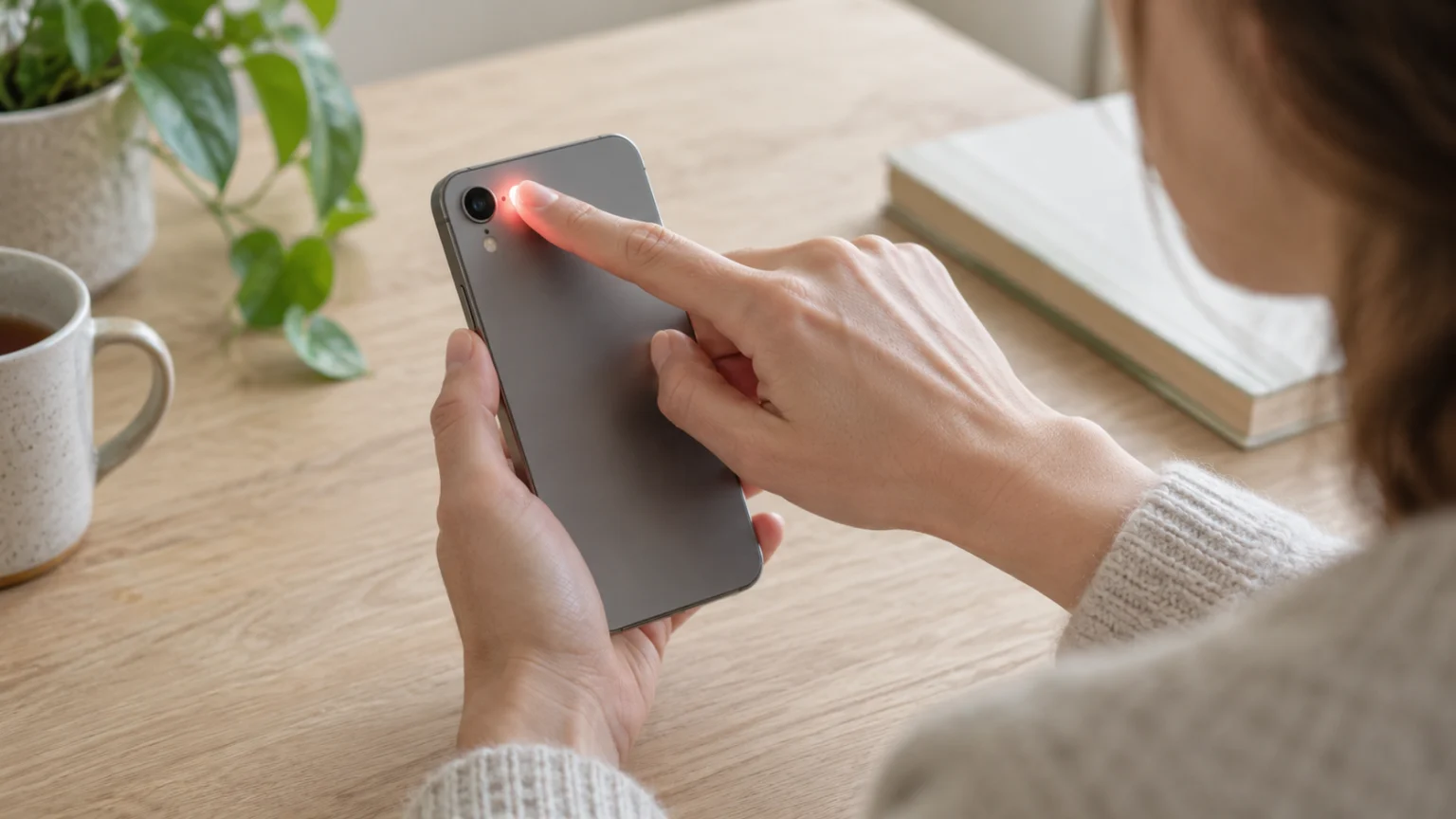
Yes, in the development build. On a day with no HRV in Apple Health, a morning camera reading (20 to 30 seconds with a fingertip on the rear camera, taken before noon) can supply the HRV component. It reports RMSSD, a different measure from Apple Watch SDNN, so it is compared only with your own camera readings. Until you have readings from 7 prior mornings, it is compared with a typical RMSSD for your age (for example 40 ms for ages 30 to 39, or a pooled adult value of 42 ms when no age is set), based on Nunan et al. 2010. The shorter recording length rests on published work on ultra-short RMSSD (Munoz et al. 2015); that is not a validation of Svanu. Details: measure HRV with your iPhone camera.
The scoring runs on the phone from what Apple Health provides. Svanu does not read Garmin directly. A recovery score is not a diagnosis. If you have symptoms such as chest pain, fainting or an irregular heartbeat, see a doctor.
Frequently asked questions
Does Garmin sync with Apple Health?
Yes, in one direction. Garmin Connect on iPhone can write a set of its data into Apple Health, and a Garmin staff reply on Garmin's forum says Connect does not pull from Apple Health. You choose which data types to allow in the Health permissions screen.
How do I sync Garmin steps to Apple Health?
Sync your watch to the Garmin Connect app, connect Apple Health in Garmin Connect's settings, and allow Steps in the permission screen. Then open Steps in Health, go to Data Sources & Access and check where Garmin Connect sits in the priority list. Health shows only the top source for a data type.
Does Garmin send HRV to Apple Health?
Garmin's own list of data it can share with Apple Health, as summarized by third parties, does not name HRV. Check Health, Browse, Heart, Heart Rate Variability, Data Sources & Access on your phone. If Garmin Connect is not listed there, no app reading Apple Health can see your Garmin HRV.
Why is my recovery score an estimate when I use a Garmin?
Because the HRV input is empty. Svanu then builds the score from resting heart rate and sleep, labels it as estimated, and shows a medium confidence chip. A morning camera HRV reading can fill the HRV slot after you have taken readings on 7 mornings.
Can I use camera HRV with a Garmin watch?
Yes. The camera reading comes from the phone, so it does not depend on the watch. It is compared only with other camera readings or an age reference, never with HRV values from another device.
Sources
- Garmin Support: What Garmin Connect Information Can Be Shared With Apple Health?
- Garmin Forums: Why not sync data from Apple Health? (Garmin staff reply: Connect does not pull from Apple Health)
- Notebookcheck: Garmin Connect begins sharing more sleep data with Apple Health (September 2023)
- Apple Support: Manage Health data on your iPhone, iPad, or Apple Watch (source priority)
- Apple Developer Documentation: heartRateVariabilitySDNN
- Munoz ML et al. Validity of (Ultra-)Short Recordings for Heart Rate Variability Measurements. PLoS One, 2015
- Nunan D et al. A quantitative systematic review of normal values for short-term heart rate variability in healthy adults. Pacing Clin Electrophysiol, 2010
This article is for general information and is not medical advice. Svanu is not a medical device.